 Xavier RocheandClaude Opus 5.5
8d7be643af
Xavier RocheandClaude Opus 5.5
8d7be643af
Each collision walk now remembers the suffix it reached, so the next
case variant jumps there instead of trying `-2`, `-3` and so on again.
Saved names do not change, and old and new builds named 144 input sets
identically. These cover the 8.3 and ISO9660 modes, existing `-N`
suffixes, and links named again with the host in another case.

This branch is based on #2055, which changes the same function, so that
one should merge first.

Closes #2056

---------

Signed-off-by: Xavier Roche <roche@httrack.com>
Co-authored-by: Claude Opus 5.5 (1M context) <noreply@anthropic.com>
HTTrack Website Copier - Development Repository


About
Copy websites to your computer (Offline browser)
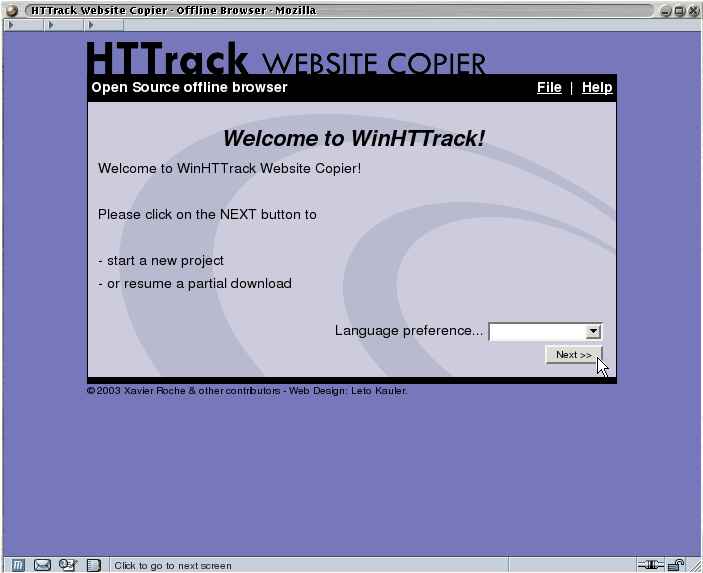
HTTrack is an offline browser utility, allowing you to download a World Wide website from the Internet to a local directory, building recursively all directories, getting html, images, and other files from the server to your computer.
HTTrack arranges the original site's relative link-structure. Simply open a page of the "mirrored" website in your browser, and you can browse the site from link to link, as if you were viewing it online.
HTTrack can also update an existing mirrored site, and resume interrupted downloads. HTTrack is fully configurable, and has an integrated help system.
WinHTTrack is the Windows front end and WebHTTrack the one for Linux, BSD and macOS, where it also arrives with brew install httrack and in the release DMG. There is an Android app too, and underneath all of them the httrack command line.
Website
Main Website: https://www.httrack.com/
Compile trunk release
A git checkout ships only the autotools sources, so ./bootstrap (which runs
autoreconf) regenerates configure first; this needs autoconf, automake and
libtool. Released tarballs already include configure, so building from a
tarball skips ./bootstrap.
git clone https://github.com/xroche/httrack.git --recurse-submodules
cd httrack
./bootstrap
./configure --prefix=$HOME/usr && make -j8 && make install
Or use the one-shot wrapper (bootstrap + configure + make), which forwards its
arguments to configure:
./build.sh --prefix=$HOME/usr