 600001b282
-%u (--urlhack) bundled three dedup normalizations under one switch:
www.host == host, redundant // collapse, and query-argument reordering.
A mirror that needed one but not another (e.g. keep www. distinct) had to
turn the whole umbrella off. Add three opt-out sub-options, defaulting to
the umbrella so existing -%u/-%u0 behavior is unchanged:

  --keep-www-prefix      keep www.foo.com distinct from foo.com   (-%j)
  --keep-double-slashes  keep redundant // in the path            (-%o)
  --keep-query-order     keep query-argument order significant    (-%y)

The split is resolved once in hash_init() into norm_host/norm_slash/
norm_query and threaded through the dedup hash (htshash.c), the savename
lookup key (htsname.c) and the redirect-loop diagnostic (htsparse.c) so
all three stay consistent. fil_normalized() gains an internal
fil_normalized_ex(do_slash, do_query) core; the public
fil_normalized()/fil_normalized_filtered() keep their signatures.

Normalization (slash/query) now follows urlhack and its sub-flags
uniformly, while --strip-query stays orthogonal. So with urlhack off,
strip-query strips keys without sorting the remainder; the url_savename
urlhack-off branch is moved to the same do_slash=0/do_query=0 normalizer
the hash uses, so a URL is always looked up under the key it was stored
with (a self-lookup mismatch this otherwise introduced).

http/https are always merged in the dedup key (the scheme is stripped
regardless of -%u), so that part of the request needs no toggle.

The opt-outs are spelled positively (--keep-*) because httrack's generic
--no<opt> prefix only appends the disabling "0" for parametered options,
not "single" booleans, so --nowww-dedup would silently no-op.

opt grows three hts_boolean fields appended at the struct tail (offsets
stable, no soname bump, matching the strip_query addition in #112).

Tested by a -#test=urlhack engine self-test (hash_url_equals over each
flag combination) plus a -%u0 + --strip-query crawl case exercising the
urlhack-off savename branch.

Closes #271

Co-Authored-By: Claude Opus 4.8 <noreply@anthropic.com>
Signed-off-by: Xavier Roche <roche@httrack.com>
HTTrack Website Copier - Development Repository


About
Copy websites to your computer (Offline browser)
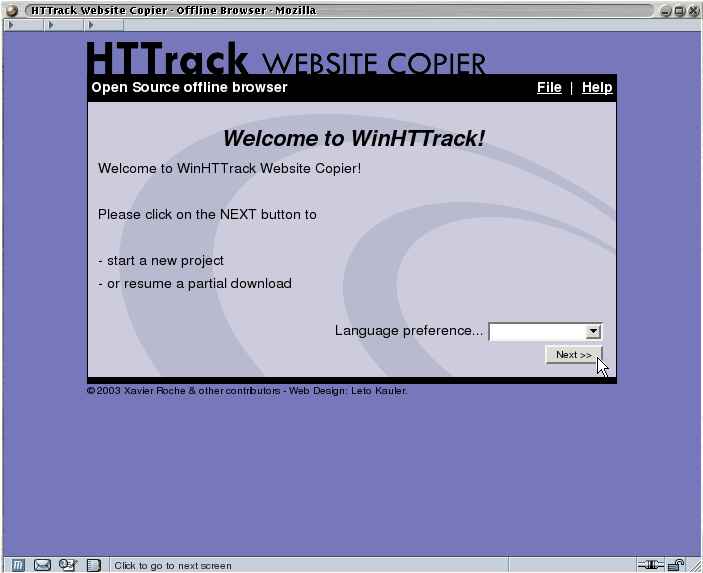
HTTrack is an offline browser utility, allowing you to download a World Wide website from the Internet to a local directory, building recursively all directories, getting html, images, and other files from the server to your computer.
HTTrack arranges the original site's relative link-structure. Simply open a page of the "mirrored" website in your browser, and you can browse the site from link to link, as if you were viewing it online.
HTTrack can also update an existing mirrored site, and resume interrupted downloads. HTTrack is fully configurable, and has an integrated help system.
WinHTTrack is the Windows 2000/XP/Vista/Seven release of HTTrack, and WebHTTrack the Linux/Unix/BSD release.
Website
Main Website: http://www.httrack.com/
Compile trunk release
A git checkout ships only the autotools sources, so ./bootstrap (which runs
autoreconf) regenerates configure first; this needs autoconf, automake and
libtool. Released tarballs already include configure, so building from a
tarball skips ./bootstrap.
git clone https://github.com/xroche/httrack.git --recurse-submodules
cd httrack
./bootstrap
./configure --prefix=$HOME/usr && make -j8 && make install
Or use the one-shot wrapper (bootstrap + configure + make), which forwards its
arguments to configure:
./build.sh --prefix=$HOME/usr