 6da794fdb6
url_savename truncated any trailing ".token" when applying a resolved
content-type, so /article-1.884291 served as text/html was saved as
article-1.html, dropping the .884291 tail and colliding with every
sibling sharing the prefix. Cut the old extension only when it is the
resolved type, a known MIME extension, a dynamic-page extension, or an
html-family extension; otherwise keep the tail and append the type
(article-1.884291.html).

Recognized extensions still collapse as before, so the #267/#408
soft-404 behavior (a binary URL served as HTML named .html) is
preserved, and a type that agrees with the extension causes no churn.

Add a hidden -#N <fil> <content-type> self-test driving url_savename
offline, plus tests/01_engine-savename.test covering the matrix.

Co-Authored-By: Claude Opus 4.8 <noreply@anthropic.com>
Signed-off-by: Xavier Roche <roche@httrack.com>
HTTrack Website Copier - Development Repository


About
Copy websites to your computer (Offline browser)
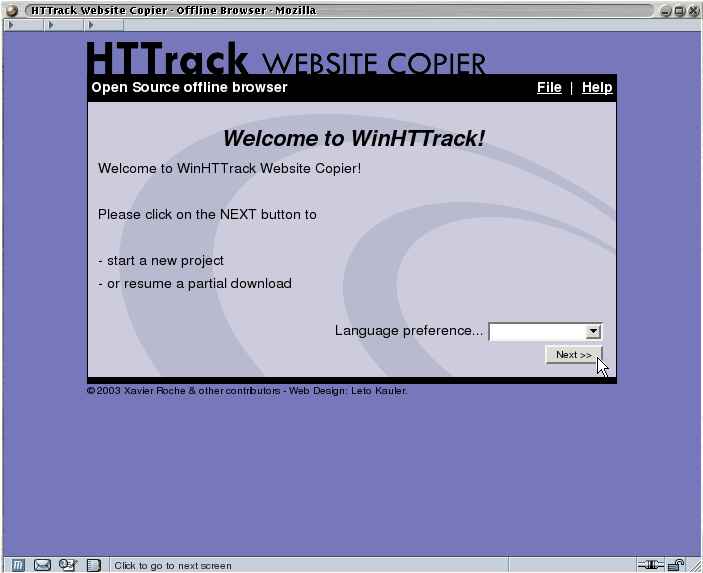
HTTrack is an offline browser utility, allowing you to download a World Wide website from the Internet to a local directory, building recursively all directories, getting html, images, and other files from the server to your computer.
HTTrack arranges the original site's relative link-structure. Simply open a page of the "mirrored" website in your browser, and you can browse the site from link to link, as if you were viewing it online.
HTTrack can also update an existing mirrored site, and resume interrupted downloads. HTTrack is fully configurable, and has an integrated help system.
WinHTTrack is the Windows 2000/XP/Vista/Seven release of HTTrack, and WebHTTrack the Linux/Unix/BSD release.
Website
Main Website: http://www.httrack.com/
Compile trunk release
A git checkout ships only the autotools sources, so ./bootstrap (which runs
autoreconf) regenerates configure first; this needs autoconf, automake and
libtool. Released tarballs already include configure, so building from a
tarball skips ./bootstrap.
git clone https://github.com/xroche/httrack.git --recurse-submodules
cd httrack
./bootstrap
./configure --prefix=$HOME/usr && make -j8 && make install
Or use the one-shot wrapper (bootstrap + configure + make), which forwards its
arguments to configure:
./build.sh --prefix=$HOME/usr